Updated October 18, 2026
Version history
Download the latest version
macOS 14+ on Apple Silicon
1.0.5LatestOctober 18, 2026
- Small improvements to how Cover registers your license.
1.0.4October 14, 2026
- Fixed a bug to keep your renewal in its lane. A rogue Renew button was trying to switch Personal subscriptions to Business.
- Your plan now reads the same everywhere in Cover. Specifically, the Cover menu no longer labels a Personal plan as Business, and Settings, About and the plan screen show the same plan and dates.
- Cover's little redaction pin now hops onto the button when you buy or upgrade, then celebrates on the plan you picked.
- Prepped more pricing flexibility ahead of the public launch.
1.0.3October 8, 2026
- Handwritten and drawn signatures are now redacted.
- Now redacted: immigration and passport numbers, case and docket numbers, attorney bar numbers, medical record numbers, license plates, prescription numbers, member and student IDs, office phone and fax numbers, and addresses and phone numbers outside the US. Toll-free numbers stay visible.
- A date of birth is now redacted everywhere it repeats in a document, not just where it’s labeled.
- Personal info tucked into a PDF’s links, comments and other spots you can’t easily see is now found and redacted.
- Fewer over-redactions: company and agency names, titles like “Dr.”, years, dollar amounts and form labels stay visible.
- Redacted files no longer carry hidden details from the original, like custom document properties, page thumbnails or photo location data.
- If part of a PDF is in a format Cover can’t read, Cover now tells you and leaves the file unchanged.
- Pages packed with text now finish in seconds instead of minutes.
1.0.2October 1, 2026
- Bank routing numbers, insurance policy numbers, loan IDs, apartment numbers in address blocks, and short first names like “Leo” are now redacted.
- Fixes over-redactions like the relationship labels “Daughter” and “Son.”
- Fixed a bug with the Claude MCP connector where paid users were seeing trial watermarks.
1.0.1September 28, 2026
- Added: drag redacted PDFs straight from Cover into your Ai chat, the whole file from the left sidebar or just the pages you pick from the right. No more hunting for it in Finder.
- Added: send redacted PDFs straight to ChatGPT, Claude or Gemini from the drop-down next to the Save button. The file shows up in the chat, ready for your question.
- Fixed: password-protected PDFs didn't open in the editor after they were redacted.
1.0.0September 21, 2026
- After six months of alphas and thousands of real-world PDFs run through Cover's redaction engine, this is the first stable release. Thanks for sticking with us and contributing to this project. Keep sending us feedback on how your PDFs are being redacted in Cover's engine.
- During the trial period, the Buy button is more visible.
- Fixed: a completed purchase that failed to unlock Cover stayed silent. Cover now says so and points you at Restore Purchases.
0.20.4September 17, 2026
- Adds liquid glass buttons into the interface. Fun from Apple's new macOS release!
- Fixes macOS 27.0 issues with OCR scanned documents and where redactions are measured from.
- You can now close a PDF in the left sidebar. Mouse over the name and click the “x.”
- Patched some under redactions in OCR docs: names pasted as a picture, social security tails.
- If an OCR document can't be read, Cover stops trying instead of handing the file back as if it looks finished.
- Trial watermark says how many items were redacted.
0.20.3September 8, 2026
- Cover now also runs in your browser at coverredact.com/redact. Same engine, same license, and your PDF still never leaves your computer.
- Settings ▸ License and About now show the day your subscription actually renews, the day your card is charged, instead of a date one week later.
- If you renewed and later paste the key from your original purchase email, Cover finds your current license instead of saying it expired.
- There is now a Lost your key? link under the license key field. It opens the form that emails your key back to you.
0.20.2September 5, 2026
- Short documents now redact almost immediately, with no waiting screen. To experience it at full speed, turn off Show animations in Settings.
- The redaction terms list on the right fills in progressively instead of all at once at the end.
- Two more parts of Cover moved into the compiled engine: the redaction terms list, and the magic tool that finds every other place a name or number appears. Both work exactly as before.
- The download is 94 MB smaller.
- Fixed a bug where deleting a redacted file and dropping the original back in brought the deleted redactions back instead of redacting it fresh. Redactions you had placed by hand came back too.
0.20.1September 3, 2026
- Unofficially beta testing redacting image files: PNG, JPEG, HEIC and TIFF.
- Fixed a bug where OCR based PDFs weren't showing the redaction terms in the right sidebar.
- Fixed OCR bugs. Specifically, a page that came out upside down with nothing redacted, and a document that refused to finish and produced no file.
0.20.0September 3, 2026
- Significant under-the-hood architectural upgrades to the code structure of Cover. Increases the redaction speed by 20% on multi-page PDFs.
- New precautions for how passwords are handled in password protected PDFs. The password no longer travels where other programs running on your Mac can read it.
- Fixed a bug where the cancel button would still output redacted PDFs in batches.
- Fixed Spanish language form bugs. Account numbers and street addresses on Spanish IRS forms were leaking.
- Problem PDFs are given limited time and resources. They no longer process to infinity.
- Fixed a bug where Cover claimed PDFs were damaged when a license number was read as a zip code.
0.19.2September 1, 2026
- Added enhanced engine security related to how the engine checks itself and what it's running
- Better handling of watermarks
0.19.1August 29, 2026
- Cover now installs updates on its own. New versions download in the background and install when you quit, and you can turn that off in Settings under Updates.
- Fixed redaction bars on scanned documents. Specifically, a thin second bar could peek out from behind the first, and a bar could stretch down to a table border or across two lines of text.
- Fixed redactions on medical bills. Specifically, health insurance carrier names like Anthem were redacted as if they were a person's name, and a member ID with letters in front of the numbers was missed.
0.19.0August 28, 2026
- Significant rewrite of Cover's architecture to further tighten security.
- Added automatic labels for more of what Cover covers: vehicle IDs, Medicare numbers, government IDs, tax IDs and driver licenses. Redactions you place by hand get labeled too, and labels now appear on rotated pages.
- When you ask Claude to redact a document with Cover, Claude still cannot read the original. It can now read the redacted copy, so you can start asking questions about the document right away while your private information stays hidden.
- Drop a document Cover already redacted and it is handled properly. You can keep working on it.
- Add one document to a list you are already working through and Cover follows it, so you watch it being redacted instead of finding it later. Adding several at once still leaves your view where it is.
- Cover no longer asks for access to your Downloads folder.
- Fixed rotated pages drawing sideways in the right sidebar thumbnails. Also fixed the redaction terms sidebar and the arrow keys, where redactions you added by hand were not recognized when you clicked the number to jump to them or stepped through them.
0.18.5August 26, 2026
- Corrupt PDFs are more isolated, no longer crashing the entire batch. Specifically, if a PDF is missing its size info, or colors that loop back on themselves endlessly.
- OCR documents (image format) read text better, recognize columns and rows and draw tighter redaction paint.
- Reduces over redactions on words like "billing" or on blank-form captions like "employment status."
- Hardened against PDFs built to exhaust your machine. Specifically, a few bytes of color or image settings that demand gigabytes of memory, and page contents that unpack far larger than they claim.
- Image editing no longer leaves an unredacted copy on disk. Specifically, if Cover crashed while an image was open, the original it held for the editor outlived the row you removed. Cover clears those at launch.
- The magic matcher handles values that break across lines. Specifically, an account number that wraps to the next line, or splits at a hyphen, now gets covered everywhere it appears.
- Settings and the Cover menu got tidied up. Specifically, the animation switch now previews what it changes, and your plan shows in the menu.
0.18.4August 22, 2026
- Two plans, and seats. Personal and Business, priced per year. Business covers your whole team: pick your seat count right on the card before you buy, add more mid-year, and Cover keeps the count on renewal. Moving from Personal to Business now takes one click, and Cover credits the time left on your plan so you only pay the difference.
- Your plan, in plain sight. The purchase screen, Settings and About now show the same thing about your license: what you own, when it renews, how many seats, and the renewal toggle. They always agree.
- Getting help takes fewer round trips. Reaching support from inside Cover now brings along which plan and version you are on, so the first reply can answer your question instead of asking which build you have.
0.18.3August 18, 2026
- Cover has an About window now, with your license, the guided tours, and the version you are running all in one place.
- Drop a folder and Cover goes through the folders inside it too. Each redacted copy is saved beside its own original, wherever that sits.
- Fixed some window and sidebar issues, and continued the licensing work.
0.18.2August 13, 2026
- Fixed a window issue where Cover could start up without its main window, most often when it was opened from a link on the website. It now shows up every time. (thanks Jacob)
- Small tidy-up at the end of the guided tour.
0.18.1August 13, 2026
- cover://license link formats launch Cover directly to certain settings tabs or video tours. Useful for integrating direct links in our Help section.
0.18.0August 12, 2026
- Cover has matured past the beta phase. It has entered into a more stable, shippable state which includes a free 7-day trial that starts the first time you redact a document. The trial has full access to all Enterprise features, including the redaction terms list in the sidebar (great for spotting over-redactions quickly), customizable token labels, batch saving, and compliance reporting.
- Saved PDFs are watermarked during the trial. Purchase Cover to remove it. The trial allows you to test Cover's engine and editor on your private documents, giving you proof that Cover does in seconds what rectangle-dragging in Acrobat does in an hour.
- Fixes: Cover now finds US taxpayer ID numbers, and catches a Social Security number printed in a column heading. Plus a set of editor fixes and repairs to the Claude Desktop connection.
0.17.2August 4, 2026
- Redactions you create by clicking and dragging across text are more accurate in tax form columns, and cover exactly what you selected.
- The blue redaction pill is smarter about what it auto-selects as the redaction target. It handles comma lists, line references, em dashes, and non-breaking spaces better.
- Newly placed redactions appear opaque when first placed, instead of see-through.
- Drag over a redaction you lifted to peek at, and it goes back under cover.
0.17.1August 3, 2026
- Cover is now signed and notarized by Apple, so it opens normally the first time.
- Fixed some window bugs.
- Fixed the guided tour dimming the whole window and blocking clicks.
- Fixed watermark orientation issues.
0.17.0August 2, 2026
- Most of this release is groundwork you cannot see yet: the parts for buying a license and registering it inside Cover. None of it is turned on in this build.
- A scan that is too low-resolution to read reliably now tells you so. Cover can miss personal details on a blurry scan, and it could not warn you before.
- Space and Shift Space page through a document, and the Pages sidebar now follows along, highlighting the page you are looking at.
- Save with report now includes the edits you just made, rather than the version from before them.
- Cover now finds routing numbers written with spaces or hyphens, and national ID numbers written as plain digits with no label beside them.
- Cover now downloads as a disk image. Open it and drag Cover into your Applications folder, the way most Mac apps install. Updates still arrive on their own.
- PDFs carrying a clickable link, like an email address in a footer, used to fail at the last step and give you no file at all. They save now.
- A whole line of ordinary text could vanish from the saved file, leaving a blank gap where a sentence used to be.
- Selecting a word by hand no longer stops at a hyphen or an apostrophe, which could leave part of the word showing.
- Text nested inside other artwork is now found. Cover could stop looking before it reached it.
- An account number printed two ways, in full in one place and shortened in another, now has both covered rather than just the full one.
- Reference numbers with hyphens, like a licence or permit number, are no longer mistaken for a street address.
- A company's own address in its letterhead now stays visible on scans, the way it already did on regular PDFs.
0.16.7July 20, 2026
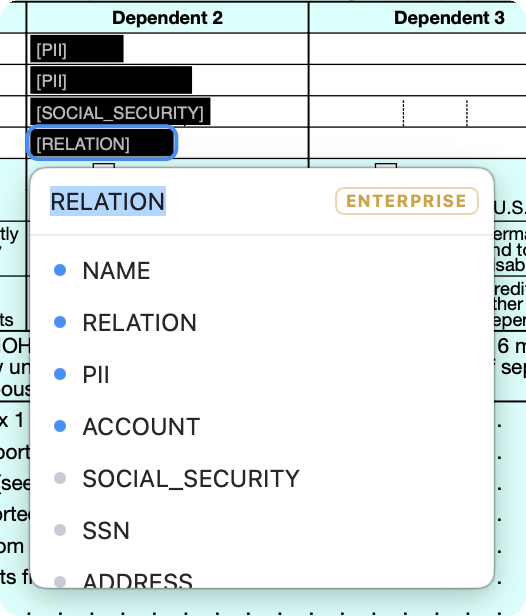
- In Token view, you can now give any redaction your own label. Click a redaction, type a name, and it shows on the page and stays saved with the file.
- When you re-redact a document, Cover now asks whether to pick up where you left off or start over from a clean slate.
- Save errors now show up in a banner, so a save can never fail quietly.
- Fixed a case where a scanned document could refuse to redact.
- Cover no longer redacts well-known institution names like Freddie Mac and Fannie Mae.
- Cleaner redaction bars on scanned pages.
- Better at finding account numbers labeled "Acct #" or "Acct No."
0.16.6July 18, 2026
- Fixes over redactions in form headings and column labels, and "Sample" watermarks stay visible.
- Fixes a bug where long reference numbers like VINs were redacted by mistake.
- Text statements Cover misread as scans now finish faster and stop covering extra dates.
0.16.5July 17, 2026
- You can now re-open a PDF you already redacted and keep working on it. Lift a redaction to peek, add more, or change what's covered. Just keep the original file on hand so Cover can reconnect automatically.
- Better at covering addresses, including street-only ones that slipped through before.
- Fixed a few account numbers that weren't getting fully covered.
0.16.4July 15, 2026
- Fixed some financial term over redactions.
- Fixed a rare case on documents with a diagonal watermark where a redaction could be quietly undone.
- The scrollbar on the PDF now behaves like a normal scrollbar. You get the arrow pointer over it and can grab and drag the scroll thumb.
- Small polish to how the pointer behaves around the find bar.
0.16.3July 14, 2026
- Undo (⌘Z) can now undo every change you've made, all the way back to the beginning of your session, even after saving.
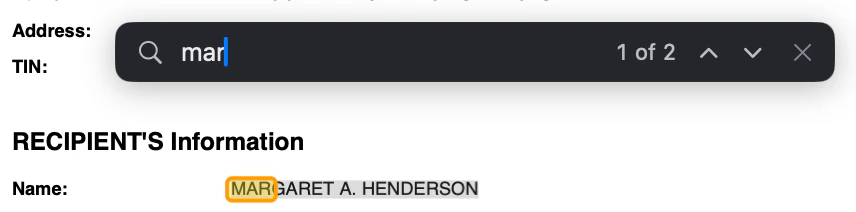
- Press ⌘F to find text in your PDF. Great for confirming something actually got redacted.
- Fixed a bug where scrolling a redacted PDF could flicker.
- Fixed a math bug in the magic auto-redacting feature.
- If you saved a redaction report alongside a file, re-editing and saving now updates that report automatically so it always matches the file.
- Quitting Cover in the middle of a batch now stops its background work cleanly instead of leaving it running.
- After Cover moves itself into your Applications folder on first launch, it now tidies up the leftover copy in Downloads.
- Added polish to the menus in Cover.
0.16.2July 12, 2026
- Rotated and scanned pages now just work. Cover reads sideways, upside-down, and even mirror-image scans, redacts them correctly, and saves them right-side up.
- Lift a redaction to peek and the original text shows correctly, at the right angle.
- Cover keeps its automatic updates working even when it wasn't moved into your Applications folder, and offers a one-click fix if updating ever gets stuck.
- Cleaner redaction on addresses, including the comma between street and city.
- Fixed a flicker where boxes briefly appeared in the wrong spot when switching between documents.
- The document list now fills the sidebar instead of stopping short with empty space below.
- Sidebar search clears itself when you close it, so your files never stay hidden.
- Starting the tour no longer clears the files you already loaded.
- Dragging in a stack of PDFs at once now adds all of them.
- Fixed a rare crash.
0.16.1July 11, 2026
- New interactive tour: how to redact images.
- Added crash log reporting to help keep things stable.
- Fixed over-redaction on medical reports with labels like "Accession" and "Specimen."
0.16.0July 10, 2026
- Cover now recognizes national ID numbers from five more countries: UK National Insurance numbers, France's social-security numbers (NIR), India's PAN, Italy's Codice Fiscale, and Mexico's RFC and CURP.
- Enterprise: the redaction certificate now includes a verification summary, confirming the self-checks the file passed before it was saved.
- Enterprise: after saving, Cover re-opens the finished file and double-checks the redaction, confirming no recoverable text and no leftover edit history. Acrobat paints the box and hopes; Cover checks its work.
- Better name detection on crowded, form-style documents.
- If redaction would have wiped out an entire page, Cover restores the original and asks you to review it before that page can be saved.
0.15.2July 7, 2026
- Extends an expired build 30 more days.
- Fixed over-redaction of dollar amounts on forms.
- Fixed a redaction issue with mortgage account numbers.
0.15.1July 6, 2026
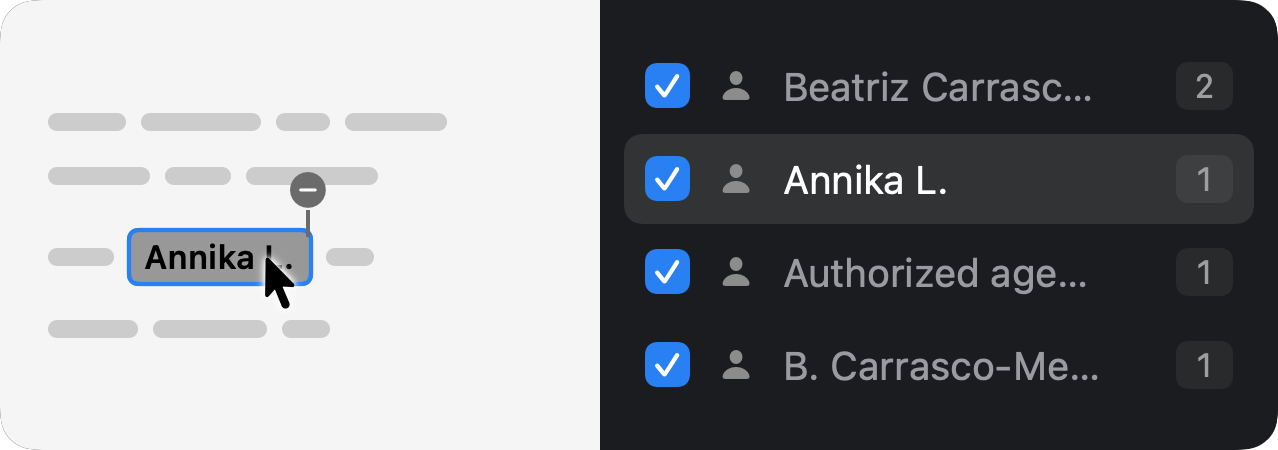
- In the editor, hovering a redaction now highlights its matching row in the terms list on the right and scrolls it into view, so it's easy to see exactly what each box covers.
- Cover now catches international bank account (IBAN) numbers, and reliably redacts government and immigration forms (like the I-485) that could previously refuse to finish.
- Phone numbers written with a parenthesized area code, like (415) 555-0172, are now fully covered, and dates of birth get their own labeled entry in the terms list.
- Cleaner redactions: stray brackets and punctuation no longer cling to the edge of a blacked-out value.
- Polish to the guided tour and the empty editor canvas: the tour's pointer glides instead of jumping, always starts from a clean sample document, and lives under a tidier Help menu.
0.15.0July 5, 2026
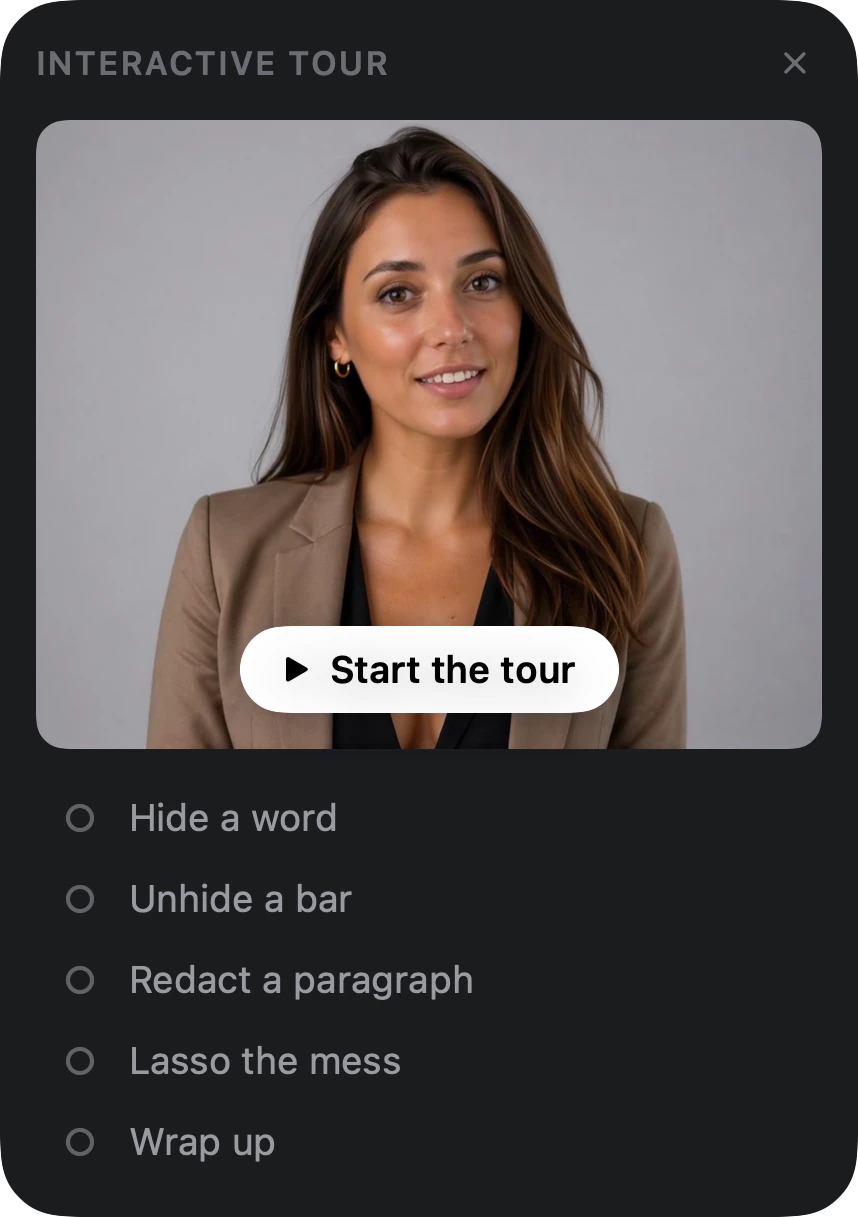
- New: a guided tour built into Cover. Click "Start the tour" in the left sidebar and Ava walks you through your first redaction in a couple of minutes: hide a word, bring one back, redact a paragraph, lasso a messy block.
- The document list on the left is cleaner: your files at the top with a count, and the drop zone to add more PDFs right where you'd look for it.
- The redacted-terms list on the right now groups related items, so a name and address fold into one entry and numbers are ordered by sensitivity, making it quicker to review what was removed and flip any of it on or off.
0.14.2July 2, 2026
- Cover now finds private info in far more scanned and photographed PDFs, including watermarked scans, garbled-font scans, and pasted-in screenshots. It also reads more inside them, like all-caps names and the account numbers along the bottom of a check.
- When you ask Claude Desktop to redact a file, you can now say which folder it's in ("the 1099 in Downloads") and Cover finds it right away.
- Redaction covers only what's private: black-and-white scans no longer black out the whole page, sideways pages redact the right spot, and a box no longer stretches across a whole line.
- Redaction bars are now fully solid, with no faint see-through on any file.
- The redacted-terms list opens on the right by default, so you can review what was removed at a glance.
- Clears private text a PDF can hide in its invisible screen-reader layer.
0.14.1June 28, 2026
- This release is all engine improvements. Cover now catches more kinds of ID numbers: Medicare, Social Security claim, loan and mortgage, and account, member, invoice, employee, and medical-record numbers.
- Now recognizes driver's license numbers even when a form labels them just "Lic." (like a second driver on an insurance page).
- Better at catching names and Social Security numbers packed into form fields and tables, such as tax forms.
- No longer redacts a company's own address in the letterhead (your bank, hospital, or utility), so your files stay readable.
0.14.0June 25, 2026
- Click the arrow next to Save and pick "Save with report." Cover saves a clean redaction certificate beside your PDF (plus a spreadsheet log or court-style index if you want them) that lists what was removed, by type and page, without ever showing the private values. It's the proof a judge, client, or auditor needs that the file was properly redacted.
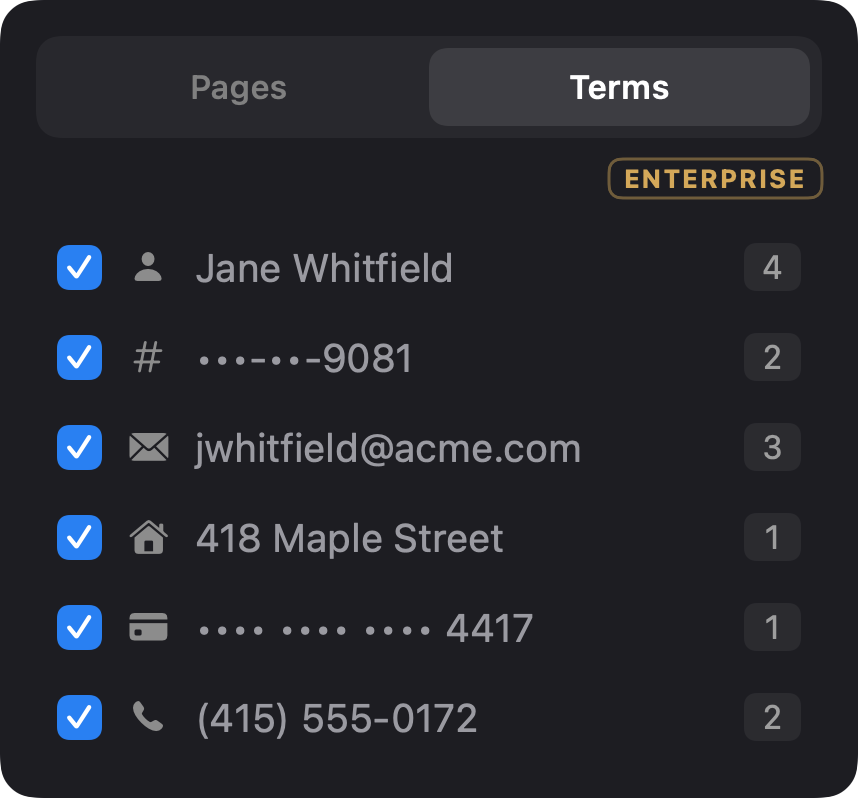
- The right sidebar now lists every redacted term in your document (names, Social Security numbers, addresses, and more), grouped by value. Click any entry to turn its redaction on or off across the whole document at once, so it's quick to review and adjust exactly what's hidden.
0.13.8June 24, 2026
- If you installed an earlier version (back when the app was called Bleep or Redact), Cover now fixes its own name in Finder and the Dock automatically, so you won't see the old name lingering after an update.
0.13.7June 23, 2026
- The app is now called Cover. It's the same tool with the same one-drop redaction, just under a new name. Opening a file from Shortcuts, Siri, or Spotlight uses the Cover name now too.
0.13.6June 20, 2026
- Cover now teams up with Claude Desktop. One click in Settings connects them, so you can hand Claude a document and it works only with a safely redacted copy. Cover does the redacting right here on your Mac, so Claude never sees the private parts.
- On first launch, Cover now offers to move itself into your Applications folder. Keeping it there is what lets automatic updates install cleanly, so future updates won't get blocked.
0.13.5June 19, 2026
- Image-only PDFs that contain nothing private now open straight into the editor instead of getting stuck on the loading screen.
0.13.4June 16, 2026
- Cover now keeps itself up to date. When a new version is ready it arrives on its own, so you never have to download and swap out the app by hand again.
- Undo and redo now work while you edit. Press ⌘Z to undo and ⇧⌘Z to redo, so a change you didn't mean to make is easy to take back.
0.13.3June 15, 2026
- Catches dates of birth even when a form doesn't label them, including ones written out like "born on March 4, 1985." This strengthens coverage of the federal court-filing privacy rule (Fed. R. Civ. P. 5.2).
- Now finds insurance and medical IDs, including policy, member, subscriber, and Medicare numbers.
- Catches mailing addresses even when a document spaces the words in unusual ways.
- More precise on bills: a placeholder account number no longer pulls unrelated list numbers or section references into a box.
0.13.2June 15, 2026
- Fixes a case where documents carrying multilingual language-assistance notices (such as Medicare statements) could fail to produce a redacted copy.
- Editor redactions are now verified before saving: the app confirms the text under each box is actually removed, not just covered, and refuses to save if anything survives underneath.
- Redacted PDFs from forms open cleanly in strict PDF viewers and tools, instead of triggering missing-object errors.
- Batches are sturdier: if one file hits a problem the rest keep going, and a file that fails partway is never left half-finished.
0.13.1June 12, 2026
- Cleaner, simpler editor toolbar, and the redacted file's name now shows right at the top so it's always clear what you're saving.
- Sharper on tax forms: better at picking the right address fields across different IRS forms (1099s vs. 1040s), so it covers what matters and leaves boilerplate alone.
- Redacted PDFs are tidier on the inside, so they open cleanly in any PDF app, viewer, or tool.
0.13.0June 12, 2026
- A major under-the-hood rebuild: Cover now runs on its own self-contained PDF engine. It starts faster, takes less space, and stands entirely on its own.
0.12.15June 12, 2026
- More thorough on form-based documents: redacted information is fully removed rather than just covered.
- Fewer unnecessary redactions over text that isn't actually private.
0.12.14June 11, 2026
- Handles more document types well: rotated tables, password-protected and encrypted PDFs, and forms with unusual text layouts.
- Now recognizes spelled-out U.S. state names as part of an address.
- More reliable across a range of bank and brokerage statements.